Coding Roadmap for Ages 8-10
A simple parent-friendly path from playful coding to first independent projects
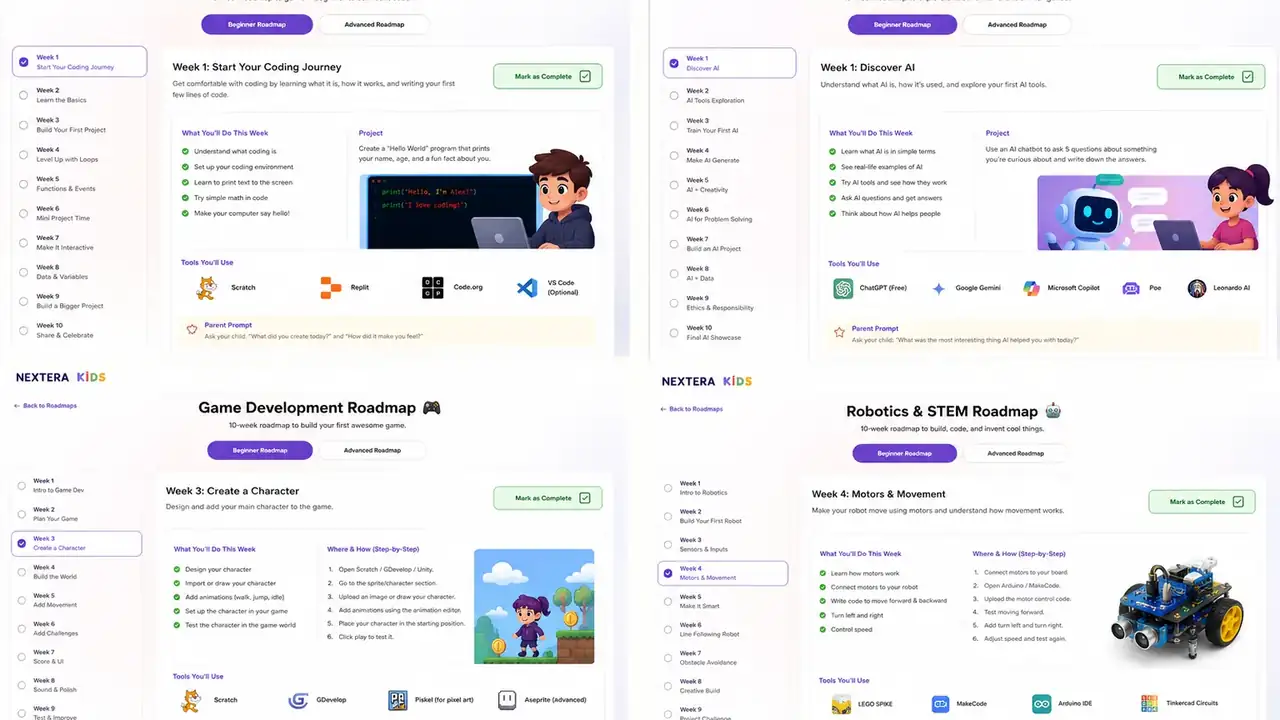
Ages 8-10 can be a great time to introduce coding, but the goal should not be to create a mini software engineer. The goal is to build confidence, logic, creativity, and problem-solving.
This roadmap keeps the sequence simple and parent-friendly.
Stage 1: Play with logic
Start with activities that teach sequencing and cause-and-effect. Code.org and simple unplugged coding games work well here.
- Give instructions step by step.
- Predict what happens next.
- Fix one mistake in a sequence.
Stage 2: Create with Scratch
Scratch is usually the best first serious coding environment for this age group. It lets children build games, animations, quizzes, and stories without typing code.
Start with tiny projects. A child should finish something small before starting something huge.
Stage 3: Build repeatable projects
Once your child understands basic blocks, repeat a project format with small changes. This builds confidence and pattern recognition.
- Make a character move.
- Create a clicker game.
- Build a quiz.
- Make a simple maze.
- Animate a short story.
Stage 4: Add structure with Tynker
If your child enjoys coding and wants clearer lessons, try Tynker. It can help move from playful block coding toward more structured concepts.
This is especially useful for children who like challenges, levels, and visible progress.
Stage 5: Explain the thinking
The most important learning happens when your child explains what they built. Ask questions like:
- What did you want the project to do?
- What was the hardest bug?
- What did you change to fix it?
- What would you improve next?
What not to rush
Do not rush into Python, JavaScript, or robotics just because they sound more advanced. A child who builds many Scratch projects is often developing better thinking than a child copying text code they do not understand.
Suggested 4-week starter plan
- Week 1: Complete a beginner Code.org activity and discuss sequencing.
- Week 2: Make a Scratch animation with one character and one background.
- Week 3: Make a Scratch quiz or simple clicker game.
- Week 4: Improve the project and present it to a parent or sibling.
Final thought
The best coding roadmap for ages 8-10 is playful, project-based, and low pressure. Coding should feel like creating and solving problems, not like another worksheet.
Next step: choose one small project and help your child finish it before adding a new tool.
How to make coding useful at home
Coding becomes valuable when a child builds something visible and then improves it. A tiny finished project teaches more than a long course that never turns into a working result.
Parents do not need to know the answer to every bug. A better role is to ask what the child expected, what happened instead, and what they will test next.
Good first project signs
- The project can be finished in one or two sessions.
- The child can change one rule, character, screen, or feature.
- The child can explain one bug and how they fixed it.
- The project leads naturally to a second version.
Recommended next steps
For a more personal starting point, open the best coding tools guide. If your child is ready for a practical path, continue with the coding roadmap.